
Disclosure: If you click any of our affiliate links and make a purchase, we will earn a commission (at no extra cost to you).
At TrailHawk Publishing, we often talk about the importance of high-quality covers and professional editing. We want your book to look and read as well as any title from a major New York house. However, there is a crucial element of book production that often goes unmentioned in the indie community: digital accessibility.
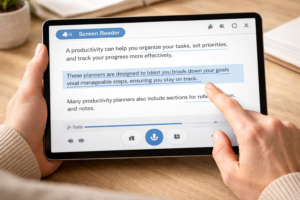
When we produce an eBook, we are not just creating a digital file for a standard screen. We are creating a bridge to readers who may interact with our stories in very different ways. This includes readers with visual impairments who use screen readers, individuals with dyslexia who need specific font settings, or those with motor disabilities who rely on assistive technology to turn pages. Ensuring your book is accessible is not just a technical requirement; it is an act of inclusivity that ensures every reader has a seat at your table.
Why Accessibility Matters for Your Author Brand
We know that every author wants their work to reach the largest possible audience. By ignoring accessibility, we are effectively locking the door on millions of potential readers. Globally, over 2.2 billion people have some form of vision impairment. While not all of them use assistive technology for reading, a significant portion does.
Furthermore, the legal landscape is changing. The European Accessibility Act will soon require digital products, including ebooks, to meet specific accessibility standards to be sold in the European Union. By learning these skills now, we are protecting our businesses from future distribution hurdles. Beyond the legalities, providing an accessible book is a powerful way to build trust with your audience. It shows that you care about the reading experience of every single person who buys your work. This level of care is a hallmark of the Self-Publishing Guide 101 philosophy we promote.
The Foundation: Proper Heading Structures
One of the most common mistakes we see in eBook formatting is the use of “forced” formatting instead of semantic tags. Many authors simply highlight a chapter title and make it bold and large. While this looks fine to the naked eye, a screen reader does not recognize it as a structural element.
To make your book accessible, you must use proper heading tags, such as Heading 1 for the title and Heading 2 for chapter names. These tags create a “map” that screen readers use to help users navigate. Without them, a visually impaired reader has no way to skip to a specific chapter or understand the hierarchy of the book. This is a technical detail that many authors miss, and it is frequently cited in our list of 9 Costly Mistakes New Authors Make When Self-Publishing.
Mastering Alt-Text for Images and Maps
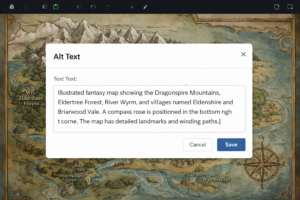
If you write non-fiction or epic fantasy, your book likely contains images, charts, or detailed maps. For a sighted reader, a map of a fantasy realm provides essential context for the journey. For a reader using a screen reader, that map is a “black hole” unless you provide alternative text, also known as alt-text.
Alt-text is a short, descriptive sentence embedded in the image code that describes what the image represents. We recommend being concise but descriptive. For a map, your alt-text should not just say “Map of the Kingdom.” Instead, try “Map of the Kingdom of Eldoria, showing the Iron Mountains in the north and the Great Sea to the south.” This allows the reader to visualize the geography you have worked so hard to build.
If an image is purely decorative, such as a flourish between scene breaks, you can mark it as “decorative” or provide empty alt-text so the screen reader knows to skip it. This prevents the reader from being interrupted by a robotic voice saying “Image 452” in the middle of a tense scene.
Reflowable vs. Fixed Layout
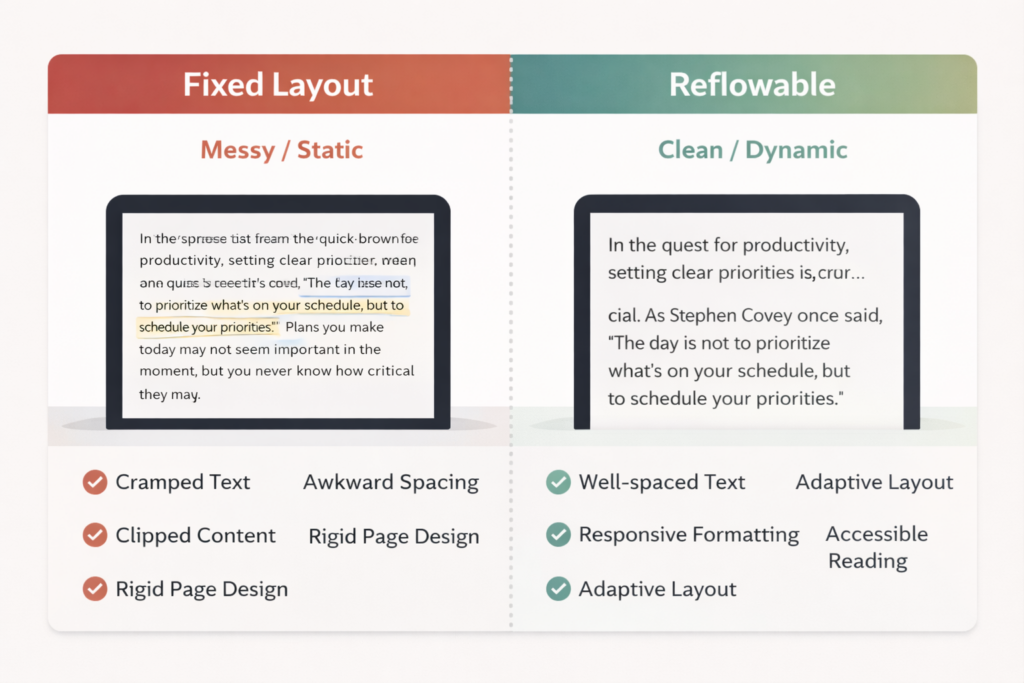
We often see authors choosing a “fixed layout” for their eBooks because they want the digital version to look exactly like the print version. While this might be necessary for complex photography books or children’s picture books, it is generally an accessibility nightmare for standard fiction and non-fiction.
Fixed layout files do not allow the reader to change the font size, line spacing, or background color. This is a significant barrier for readers with low vision or dyslexia. We strongly advocate for “reflowable” EPUB files. These files allow the text to adapt to the user’s settings. If a reader needs the text to be size 24 font with high contrast, a reflowable file allows them to make those changes instantly. By choosing reflowable formats, we are giving the power back to the reader to customize their experience.
Typography and Contrast
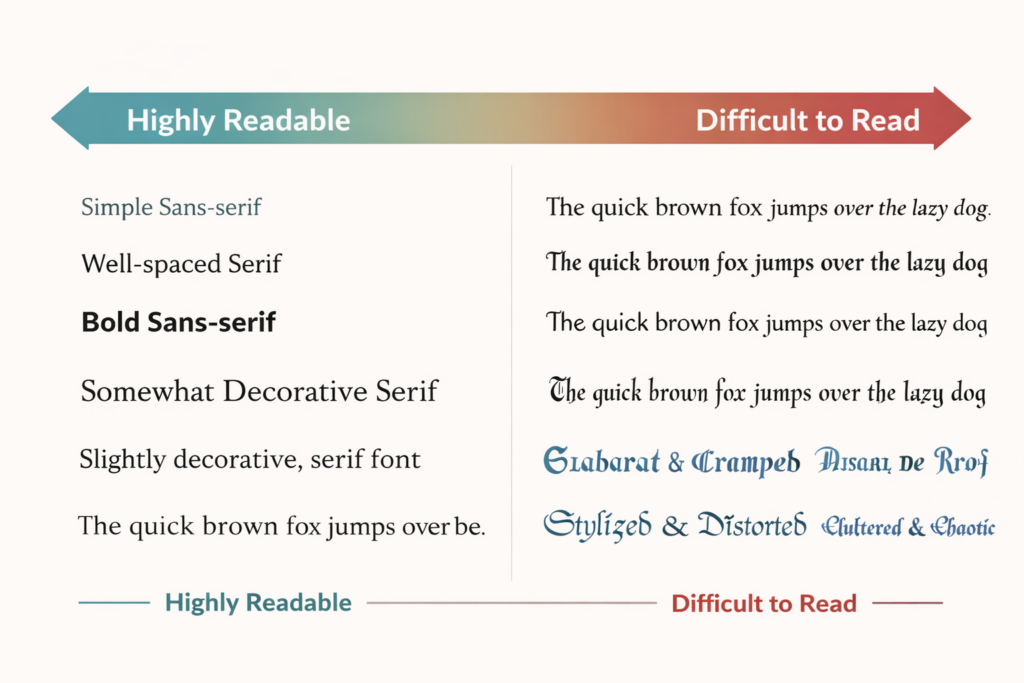
While the reader can change much of the typography in a reflowable file, we still need to make smart choices in our initial design. We should avoid “busy” fonts that are difficult to decode. For the body text, clean serif or sans-serif fonts are best.
We also need to be mindful of color. If you are using colored text for headers or callout boxes, ensure there is high contrast between the text and the background. Low-contrast combinations, such as light gray text on a white background, can be impossible for many people to read. If you are ever unsure about your design choices, we recommend seeking feedback from a professional. You can find expert designers who specialize in accessible layouts through Reedsy, Upwork, or Fiverr.
Testing Your eBook for Accessibility
Before you upload your file to Amazon KDP, we suggest performing a few simple tests. First, try opening your ebook on your phone and using the built-in screen reader (VoiceOver on iPhone or TalkBack on Android). Can you navigate through the chapters? Does the screen reader read the alt-text for your images?
Second, check your Table of Contents. An accessible ebook must have a functional, linked Table of Contents that matches the heading structure we discussed earlier. This is not just helpful for disabled readers; it is a requirement for a professional user experience. If you are struggling with the technical side of formatting, tools like Atticus, Scrivener, or Vellum are designed to handle much of this structural work automatically, ensuring your exports meet modern standards.
The Long-Term Benefit of Accessible Books
Investing time into digital accessibility might feel like another chore on an already long to-do list. However, we believe it is one of the most rewarding parts of being an indie publisher. When we make our books accessible, we are telling our readers that we value them.
As we have discussed in The Power of Reviews: How Readers Help Authors Thrive, every single reader has the potential to become a lifelong fan and advocate for your work. By ensuring that all readers can access your story, you are increasing the number of people who can leave reviews and recommend your book to others. In a competitive market, being the author who prioritizes the reader’s needs can be a major differentiator for your brand.
 Final Thoughts from The Hawk’s Nest
Digital accessibility is not a trend; it is the future of publishing. At TrailHawk Publishing, we want to lead the way in making self-published books as inclusive as possible. We encourage you to look at your current manuscripts and see where you can improve.
Can you add better alt-text to your maps?
Can you fix your heading tags?
If you start making these changes today, you will be miles ahead of the competition. You will be providing a better experience for your current fans and opening the door for new ones to discover your work.
Let’s work together to make sure that no reader is left behind.
Our Affiliate Links:
- Miblart – cover designs and other services
- Bookshop – curated book lists
- Scrivener – writing workflow
- Fiverr – find freelance talent
- Book Bolt – keyword search
- Publisher Rocket – keyword/category search
Our Referral Links:
- Upwork – more freelance talent
- Printful – print-on-demand merch
- Creative Fabrica – fonts and images
Join our community! Follow @TrailHawkPublishing for publishing tips and behind-the-scenes updates: